Flow Engine | Forms

Redesigning a workflow configuration

Client

Deloitte UK

Info

Role

Product Designer

Timeline

6 weeks

Focus

Fintech SaaS
B2B

Compliance-heavy
System Redesign

Tools

Figma

Miro

Team

Product Owner
Project Manager

Tech Lead

Developers

(Back/Front - End, QAs)

Context

The Project

A B2B case management platform used by financial institutions to investigate and manage regulatory compliance cases, including Anti-Money Laundering (AML) and Know Your Customer (KYC) workflows.

"How might we improve the form builder to reduce configuration time and make previewing and editing forms easier before publishing?"

Outcome

In the first phase, we launched key features focused on user onboarding, streamlined document and media management, and improved collaboration—boosting the business by over 50% in just three months.

Part One:

Design Sprint

I worked on a 2-week Sprint, from discovery ideation to ready-for-development

The primary challenge was to ensure that the proposed changes would keep other components of the Flow Engine platform intact. I collaborated closely with developers to guarantee that the new design was integrated seamlessly without unnecessary deployment complexity.

01

Week: 1 - 2

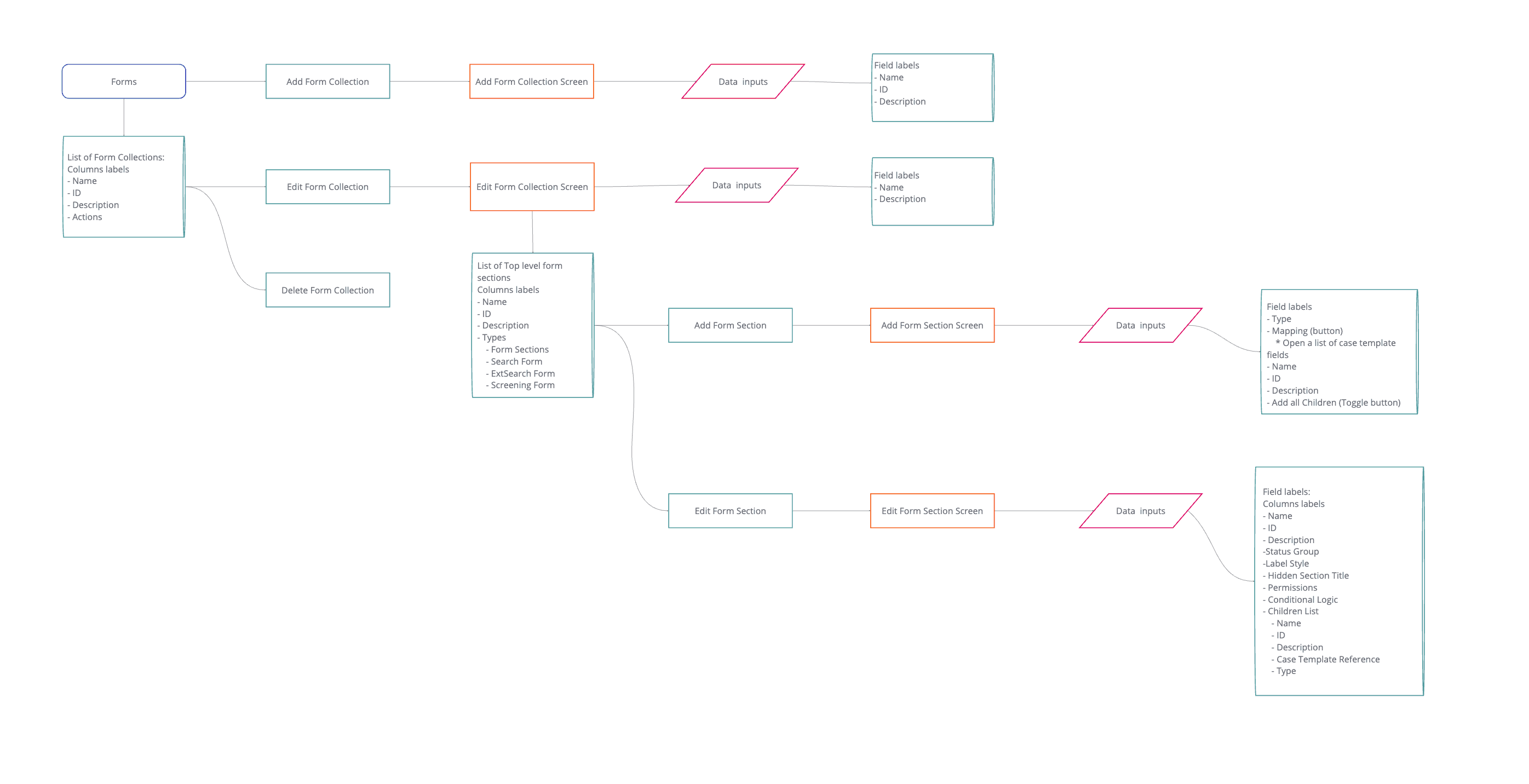
Due to the feature's complexity, the first week I spent dissecting it to understand all its functionalities and creating a user flow to understand its interconnectedness. Also, I ran a workshop session with the main team stakeholders to define the business goals, problem statement, user story, and what we wanted to learn from users during the UX interview.

02

Week: 3 - 4

I ran a Context Inquiry and UX Interview with 5 participants and collated the feedback ready to represent to the team. Afterwards, I ran a workshop with the team to develop How Might We questions and a brainstorming session that allowed us to experiment with different ways to solve the design challenge.

03

Week: 5 - 6

Once the team was aligned with what we wanted to build, I drafted a new user flow and translated it into sketches and prototypes ready to test. I ran continuous usability testing with 5 participants and iterated on the prototype until it was refined and prepared for development.

User Research

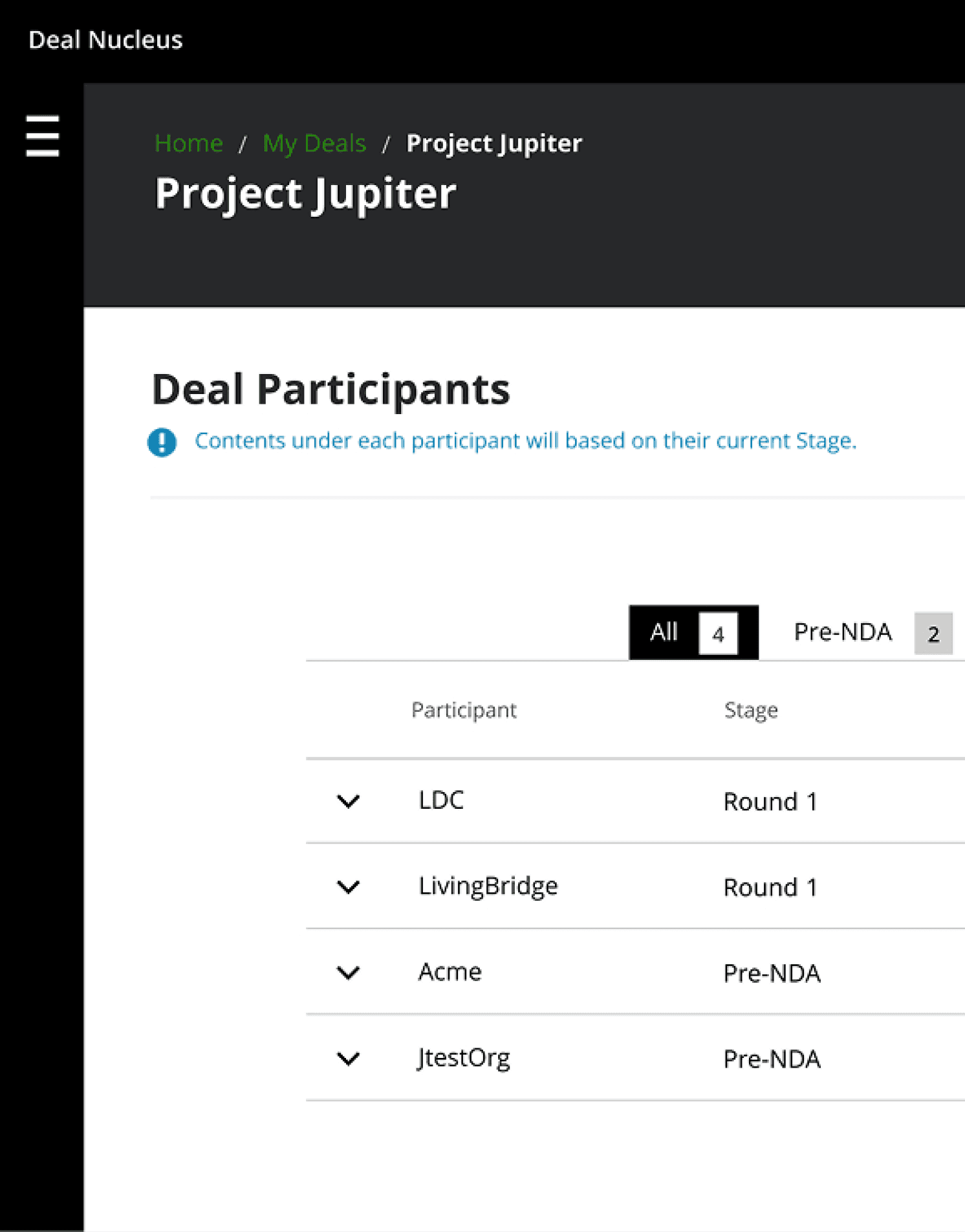
I identified system administrators' pain points, goals, and needs using semi-structured interviews and task analysis with System Administrators. Then, I grouped insights using affinity mapping to prepare for ideation.

100%

of users expressed concern about how complex the form configurations were.

Ensuring the navigation and user journey are simplified is essential for improving task completion.

80%

of users think the relationship between sections was complex to track.

How easily can users understand the relationship within parent-children sections?

70%

of users used two separate windows to visualise the final form layout.

Visualising how changes affect the form for the end user was crucial in speeding up the process.

Part Two:

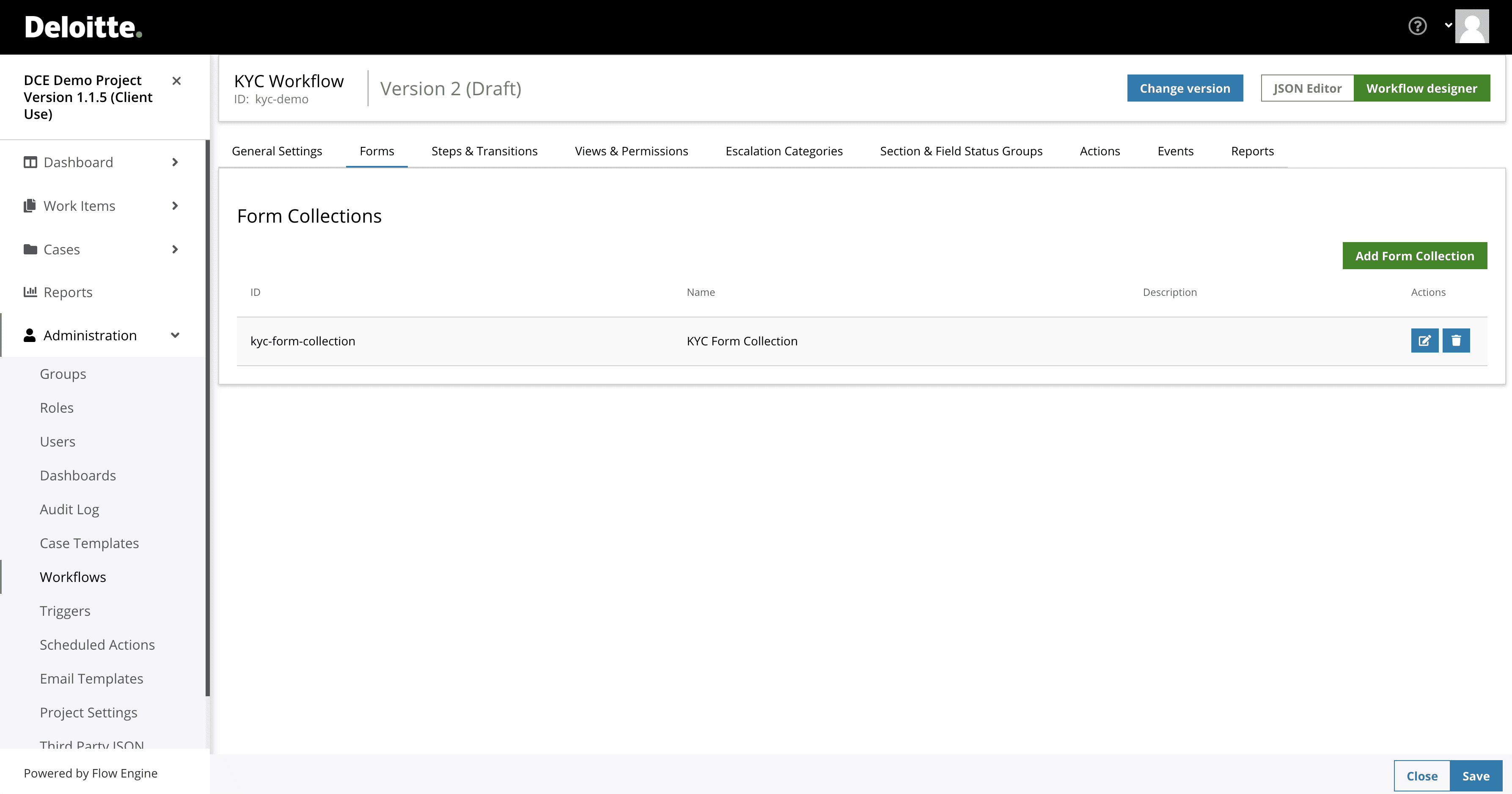
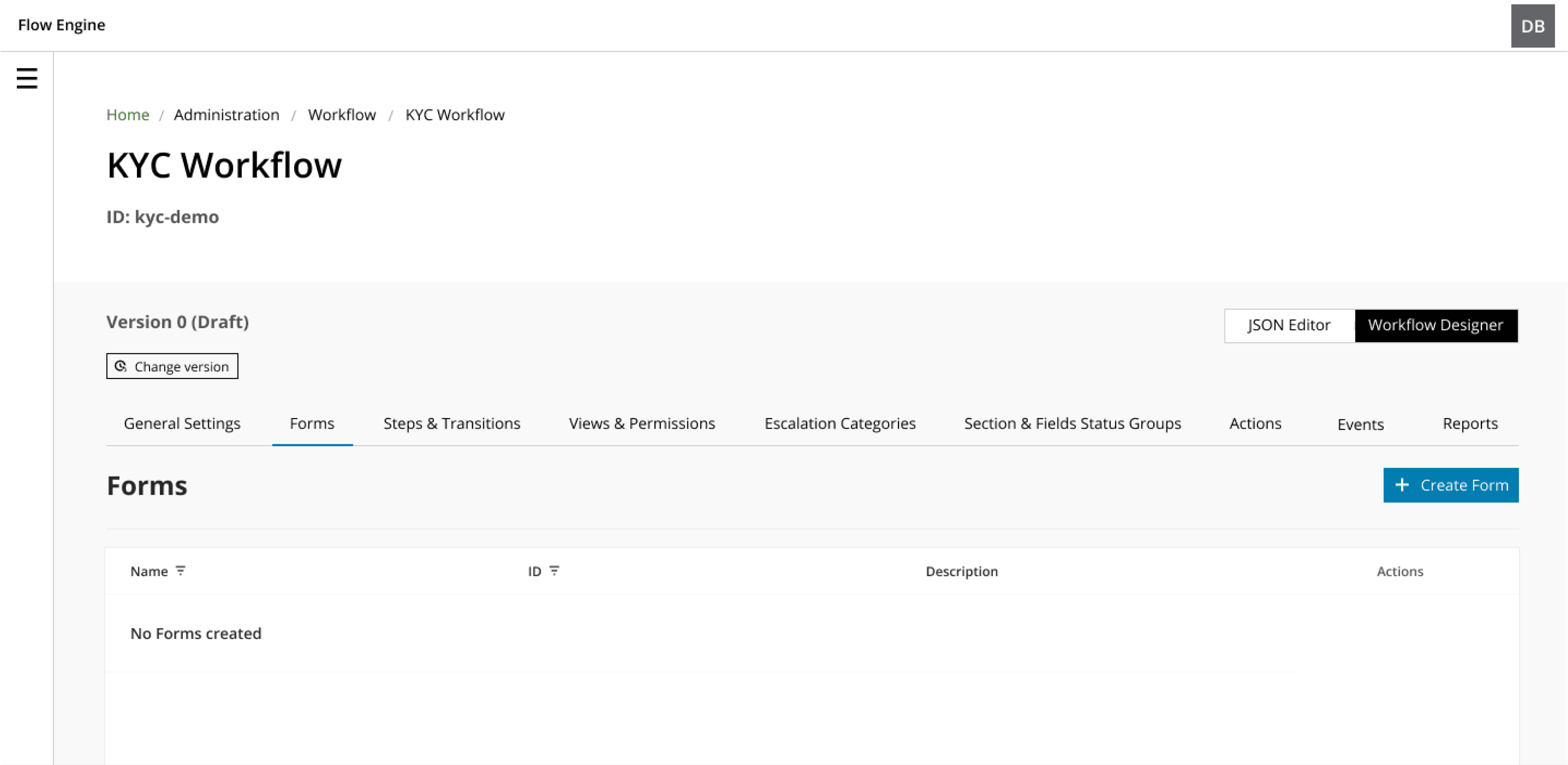
Previous UI Screenshots
Previous User Flow
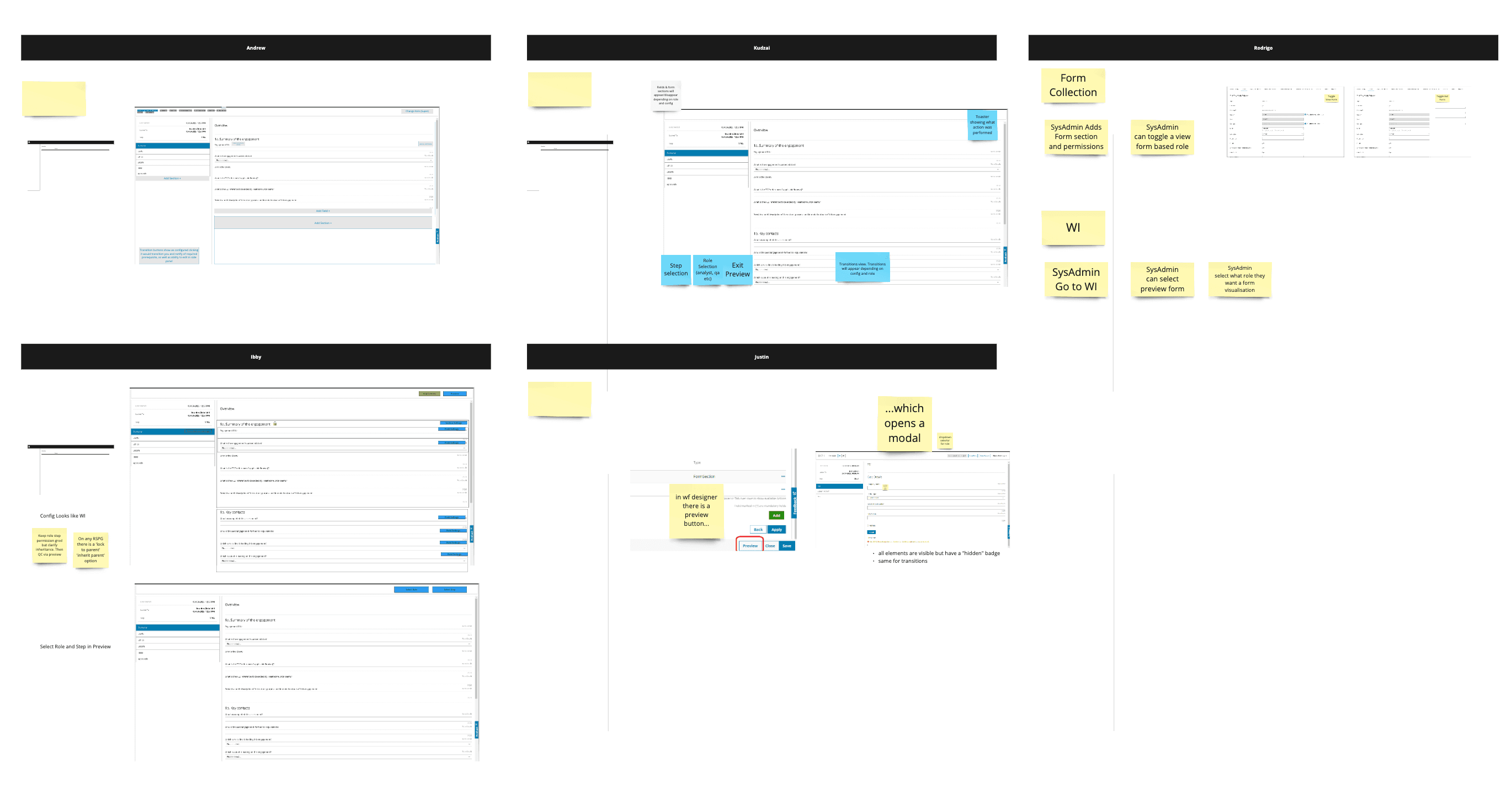
Participatory Design
Part Three:

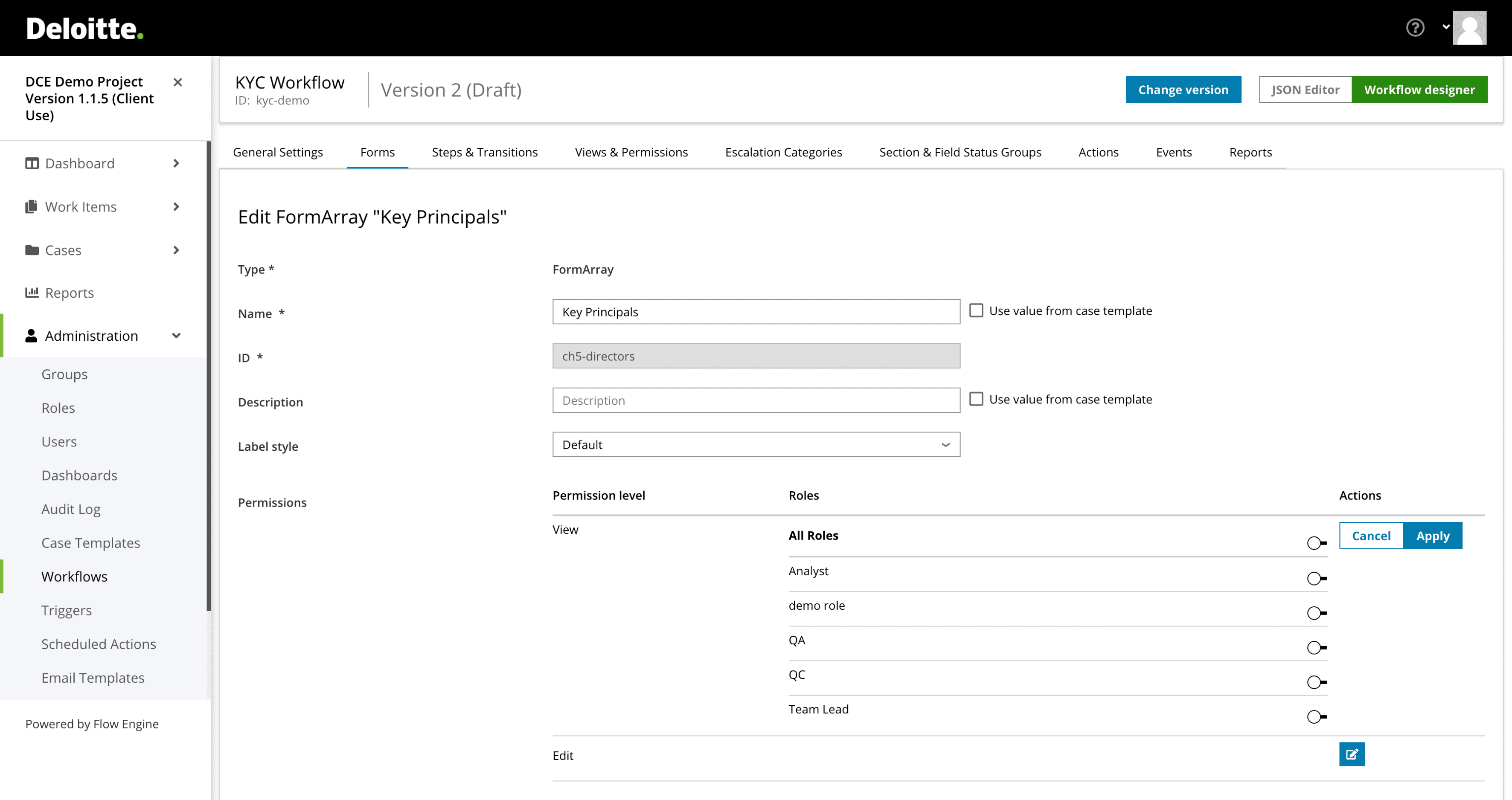
Feature #1

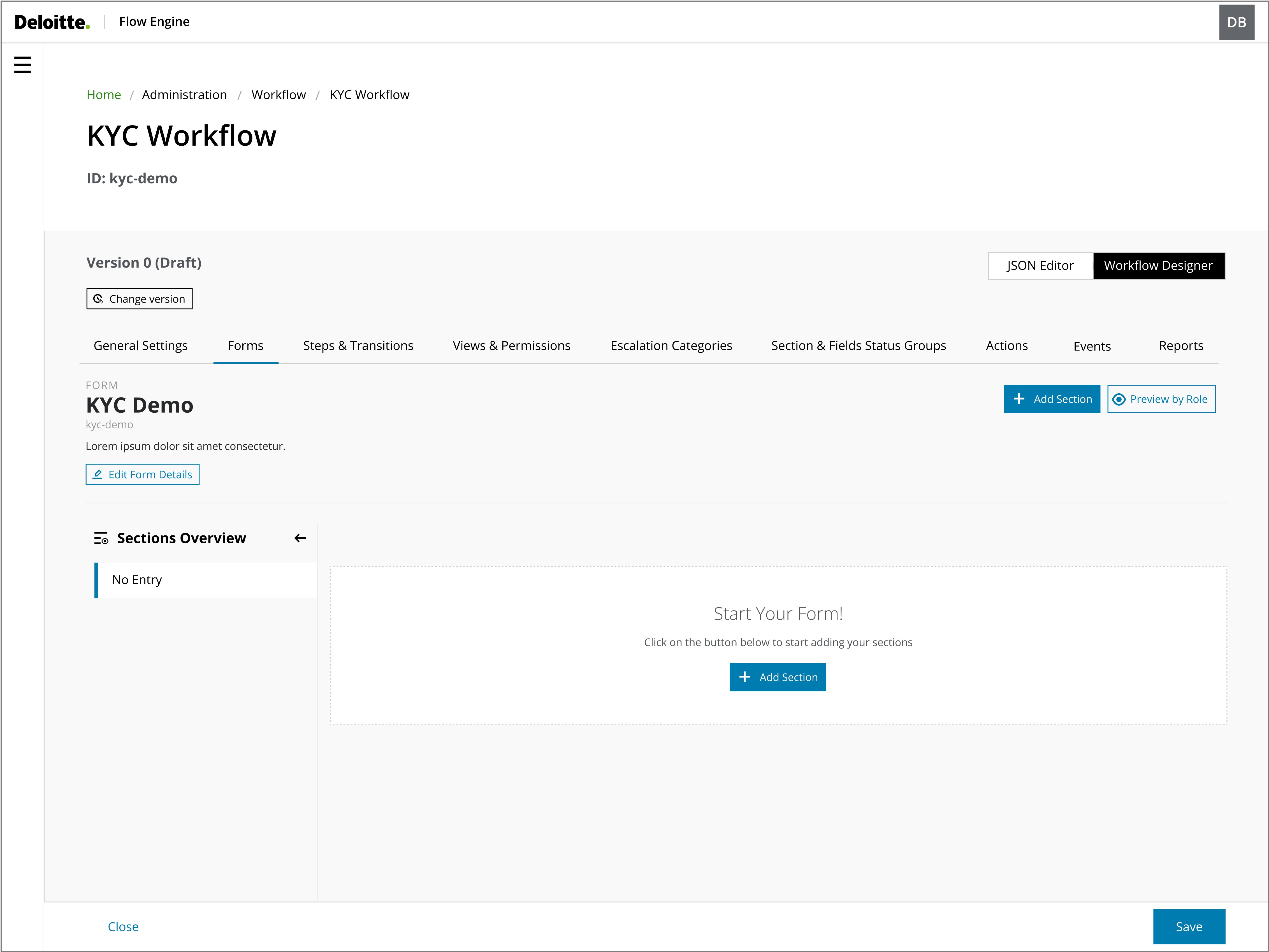
Form builder

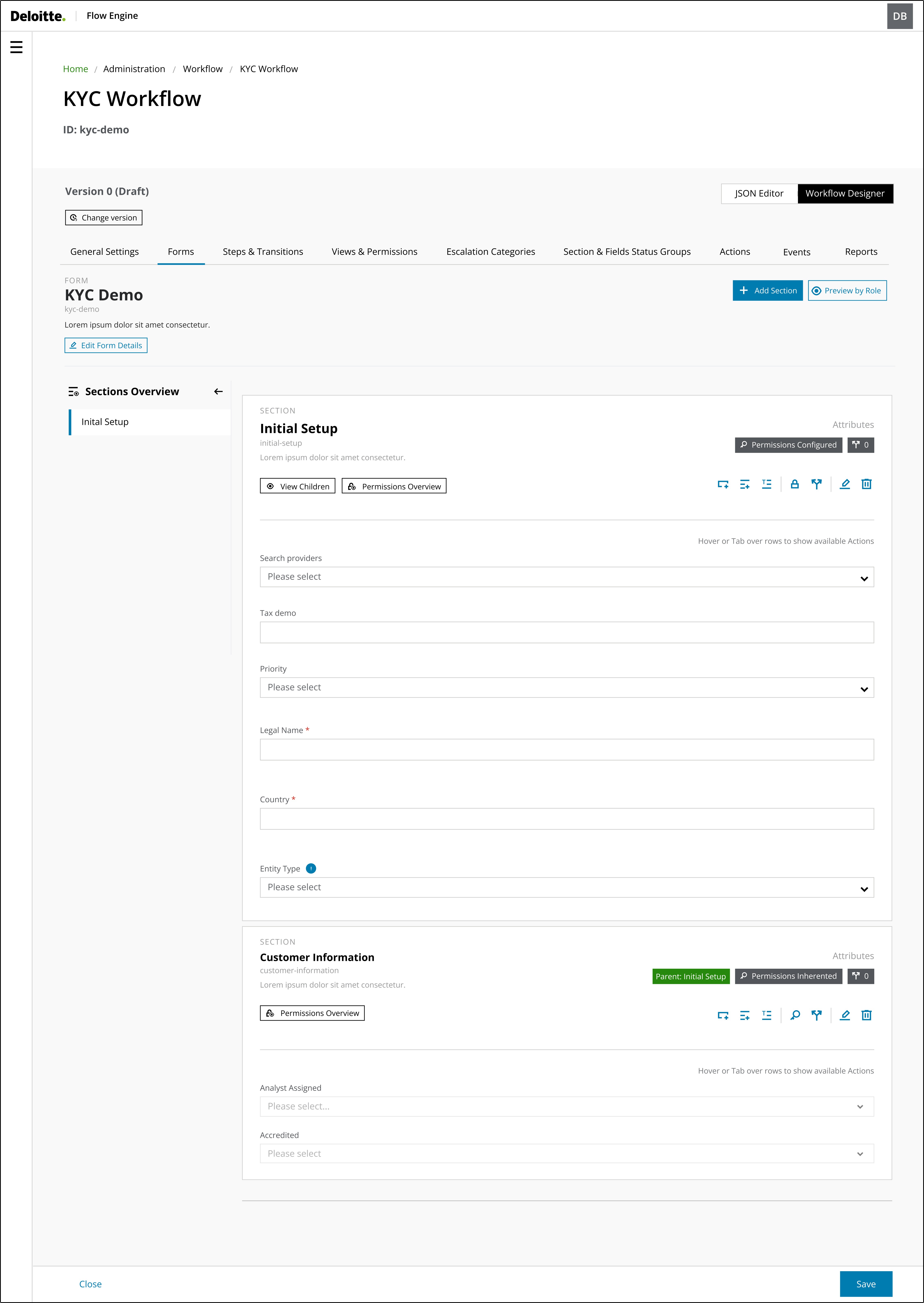
The Form builder workflow was designed to be an intuitive interface.


This interface makes it easy for users to add sections and understand and navigate through the form sections, reducing confusion and errors and ultimately improving the user-friendliness and efficiency of the design.
Feature #2

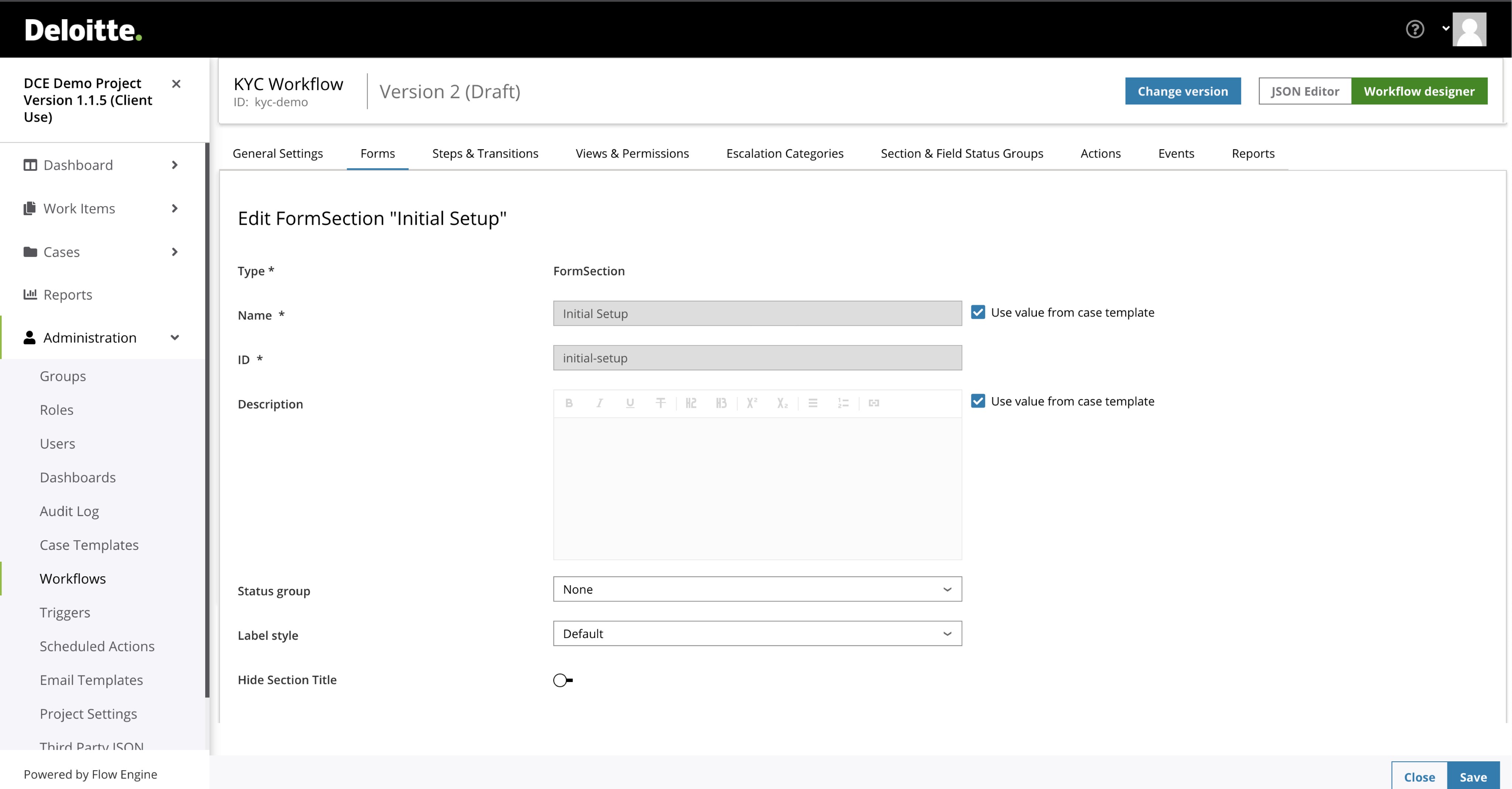
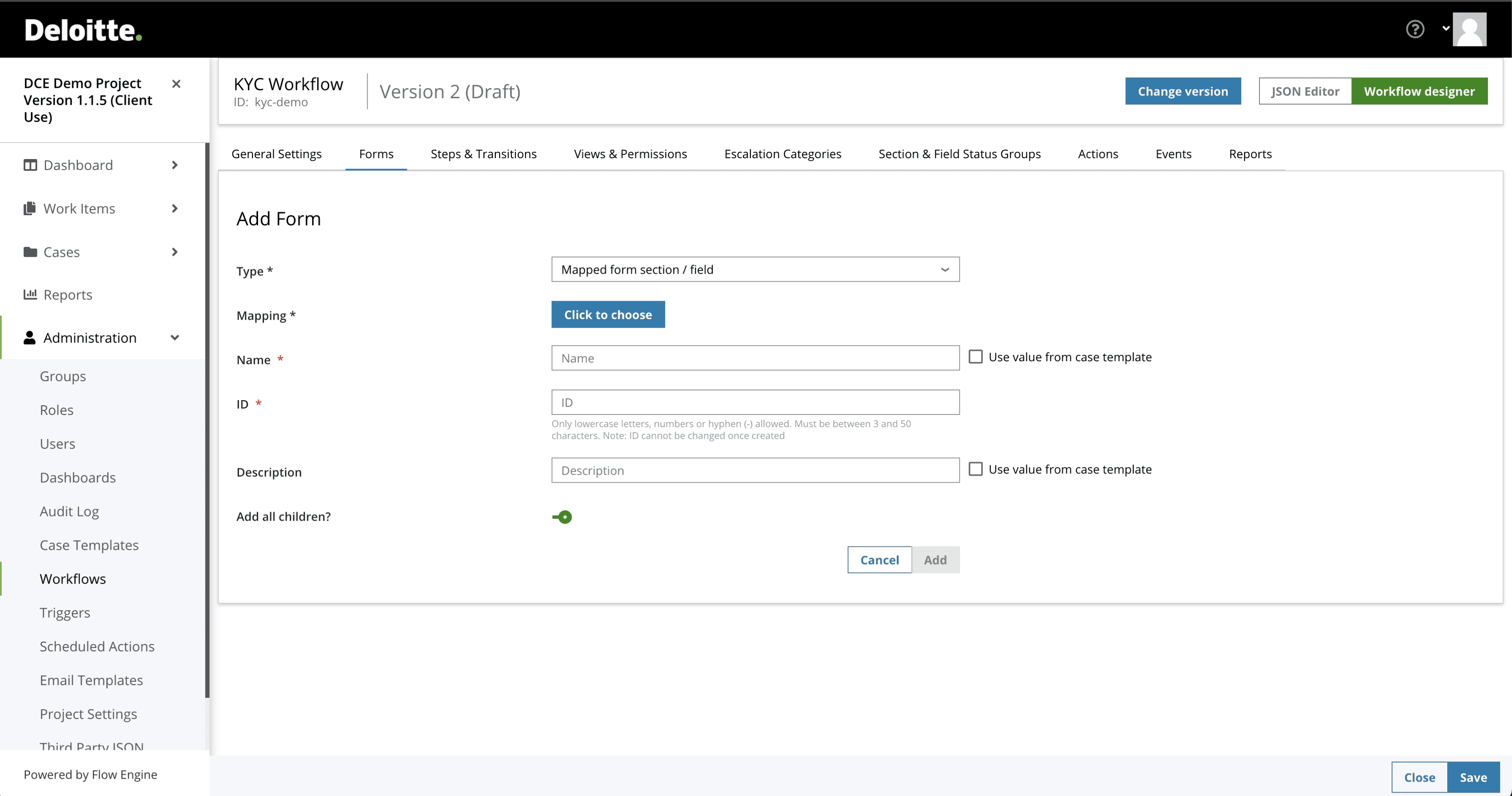
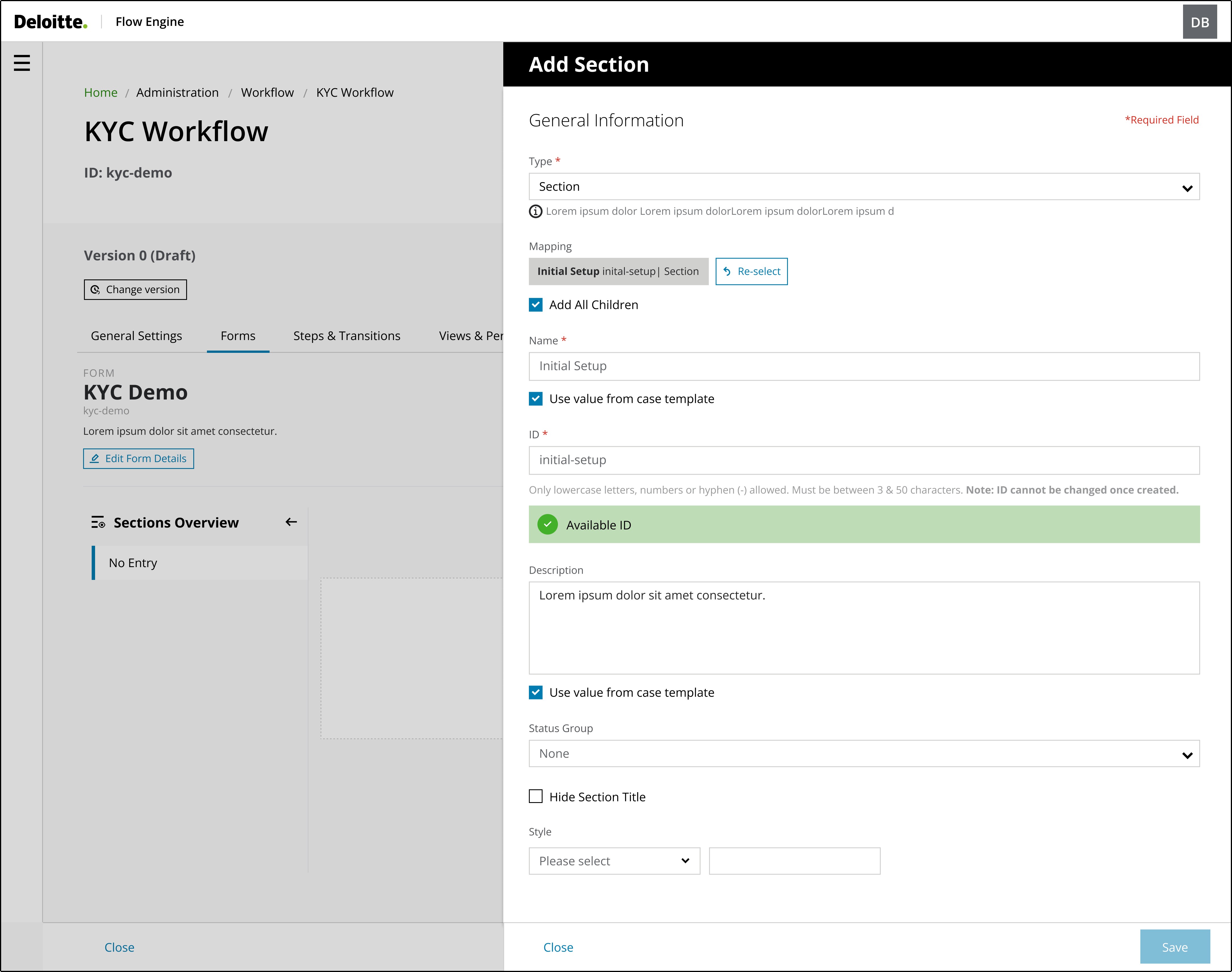
Add sections

Testing the colour system across various visual impairments, such as protanopia, deuteranopia, and tritanopia, revealed key insights on contrast effectiveness, ensuring the palette remained distinguishable and accessible to users with colour vision deficiencies.


Upon testing the initial set of graph colours, I realised that the bright colours had the same hue, and to avoid confusion and possibly confuse users, those colours were removed from the colour palette.
Feature #3

Form visualisation

Previously, System Administrators spent significant time switching between screens to visualise how the form appeared to the end-user.

Implementing a real-time form visualisation feature reduced the time spent on this task and made it easier for administrators to identify and correct errors immediately. This enhancement streamlined the workflow, improving efficiency and accuracy in form configuration.
Feature #4

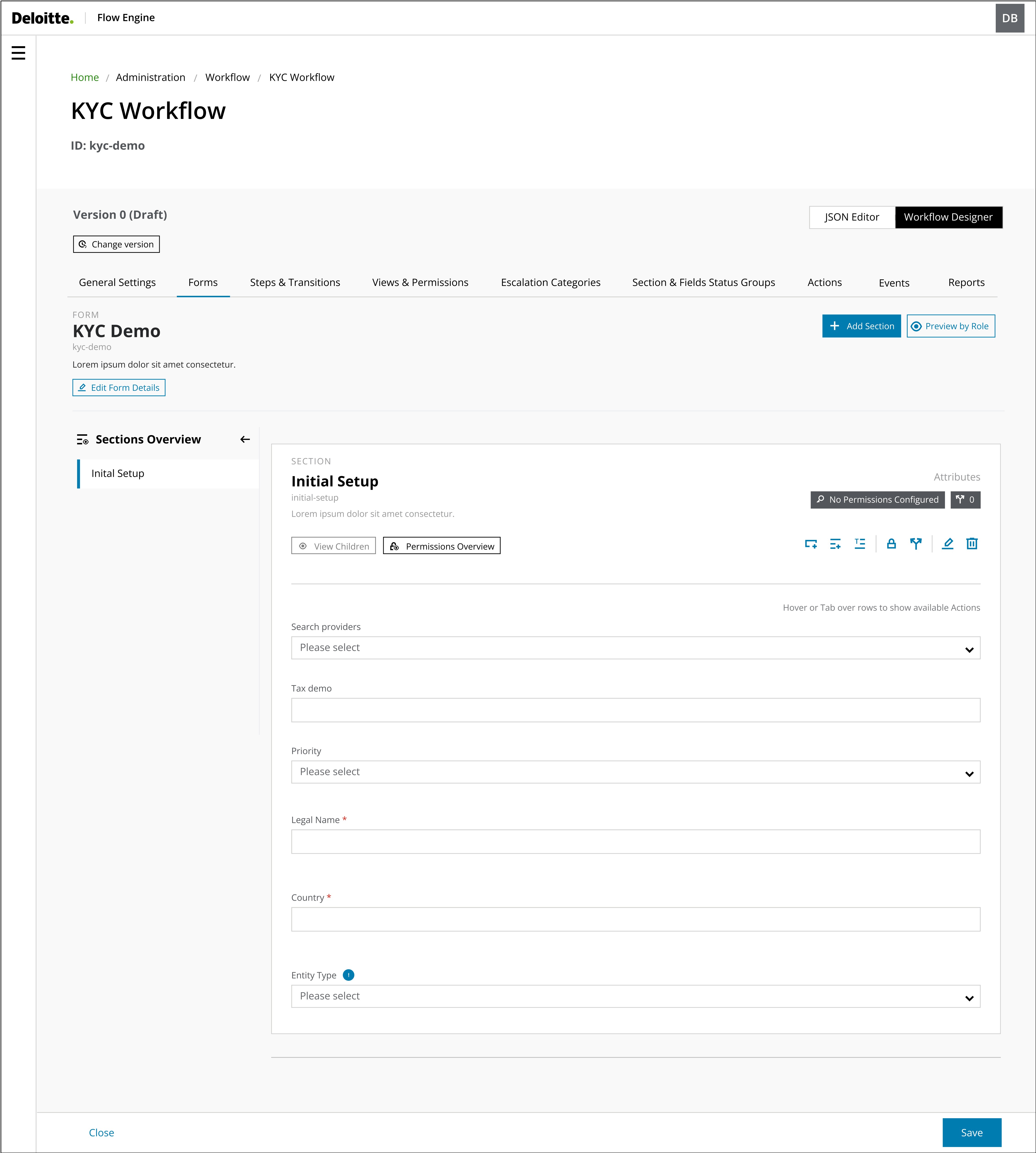
Parent-Children relationship

After users have added a parent section, they may need to add additional child sections or fields within that parent section.


The main goal of this interface was to provide users with a simple and easy method to add children's sections or fields while ensuring that they understand their relationships. The interface must be logical and intuitive, aligning with how users naturally structure information.


By implementing a design that mirrors users' real-life understanding of parent-child relationships, the aim was to establish a more user-friendly and efficient system. This approach significantly reduces cognitive load and enhances the overall user experience, as the system's structure aligns with users' expectations.
Key Learnings

01

Participatory Design

A key lesson was the importance of involving users and stakeholders early and often in the design process. As we shifted to two-week sprints, rapid iteration was crucial. We achieved more user-centric and practical solutions by incorporating their needs and insights. This collaborative approach also fostered a sense of ownership and alignment among all participants.

02

User Mental Models

I learned the importance of understanding and aligning with user mental models. By deeply analysing other applications and how users think and interact, we were able to design more intuitive and practical solutions. This approach ensured the product met user expectations, was technically feasible and enhanced the overall user experience.

03

Complex Workflows

When tackling complex features, it's crucial to prioritise the user journey and iterative user testing. We identified potential pain points by mapping out the different paths users might take to achieve their goals. Also, through testing, we refined the design, making the feature a more intuitive and efficient experience.

You may also like
Work with me

Want to make your dream project come true?

Send me a project inquiry

Or send me an email

Recommendations

“Dedicated and detail-oriented designer with a strong growth mindset, always striving to improve and enhance user experiences”

Ivana D.

Senior Product Designer at Deloitte UK

“Highly creative, hard-working designer with strong project management and communication skills. He excels at meeting deadlines, presenting ideas, and solving design challenges”

Katherine M.

Marketing Manager at South Bank Colleges

“Proactive and insightful designer who quickly delivers quality work. At Helsa, his clickable prototype played a key role in securing VC-backed accelerator funding”

Rob C.

Entrepreneur & Fintech Leader

Let's talk

drigofernando@gmail.com

© Rodrigo Fernando 2025

© Rodrigo Fernando 2025

© Rodrigo Fernando 2025

Rodrigo Fernando

Rodrigo Fernando

Rodrigo Fernando

Flow Engine | Forms

Redesigning a workflow configuration

Client

Deloitte UK

Flow Engine | Forms

Redesigning a workflow configuration

Client

Deloitte UK

Part One:

Design Sprint

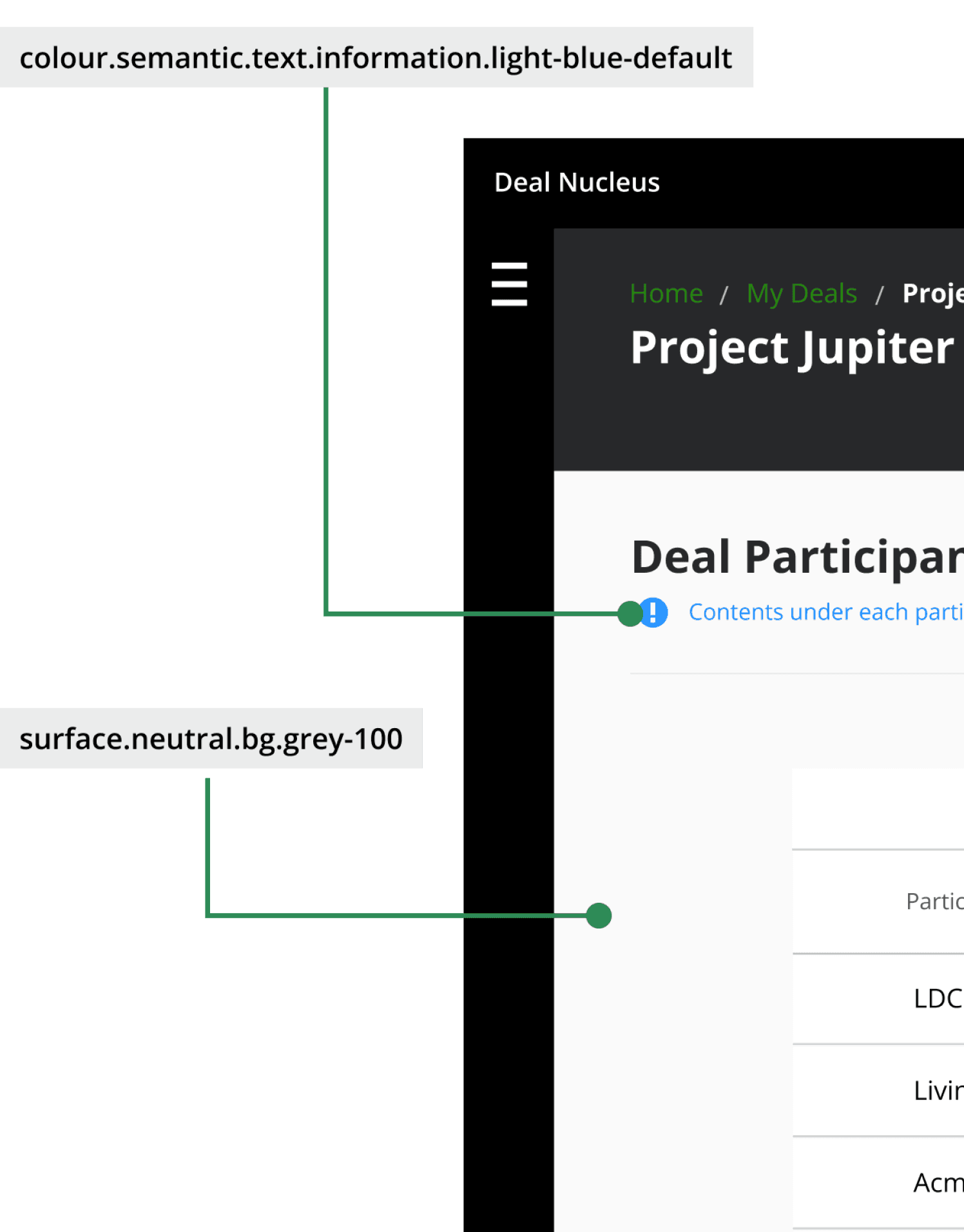
I led the assessment of the existing colour system and collaborated with cross-departments.

These pain points highlighted a fundamental issue: our colour system was creating barriers rather than enabling efficient, accessible design and development.


The feedback demonstrated an urgent need for a more structured, semantic approach that would serve both design creativity and development efficiency while prioritising accessibility from the ground up.

01

Week: 1

I initiated the project by analysing the current guidelines to evaluate their accessibility and the roles that we currently assign.


Also, I interviewed about 10 designers and 5 developers about the implementation and criteria for the colour choice, how the colour palette was being implemented, and any pain points they encountered regarding keeping consistency.

02

Week: 2

After collecting the findings from the user interview and identifying the main opportunities, my second task was to collaborate with Deloitte’s Branding team on how to adapt the current colour palette for web use.


The existing colour palette was first thought for a printing perspective and lacked the flexibility for web applications.

03

Week: 3

Once the overall basic designs were set, I ran 5 usability testing sessions to test if the features were usable and useful. Any insights and feedback on them considered and if needed changed before development and delivery.

User Research

I conducted task analysis research to understand the different tasks and steps Developers performed in the current platform. I also asked questions related to their goals and how they used the information within the platform.

100%

of Developers thought that the management of the new and existing enrolments were convoluted.

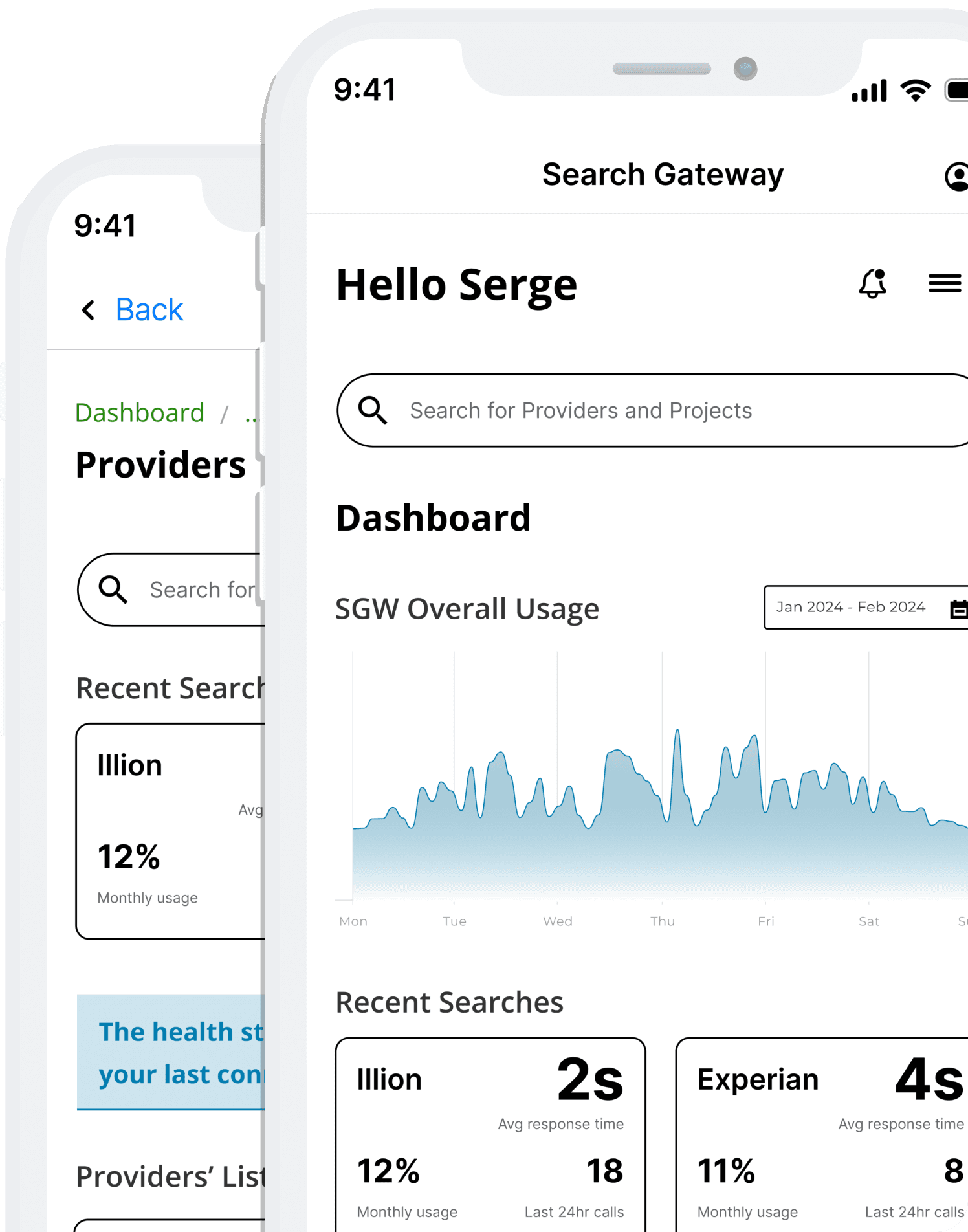
Streamlining the process of managing Projects and Providers would simplify the task and allow for more efficiency when checking their APIs' health and making necessary changes.

100%

of Developers expressed concern about not having ways to look into a project’s log or send requests to providers for testing environments.

Ensure developers can access features that facilitate their work when testing and solving environments' issues.

80%

of Developers mentioned that the layout was confusing, not responsive across both web and app platforms.

Provide a clear information architecture and assume that a responsible platform would allow for an accessible platform.

From idea to impact

What are we building?

Send me a project inquiry

Or send me an email

From idea to impact

What are we building?

Send me a project inquiry

Or send me an email